Create Your Classes
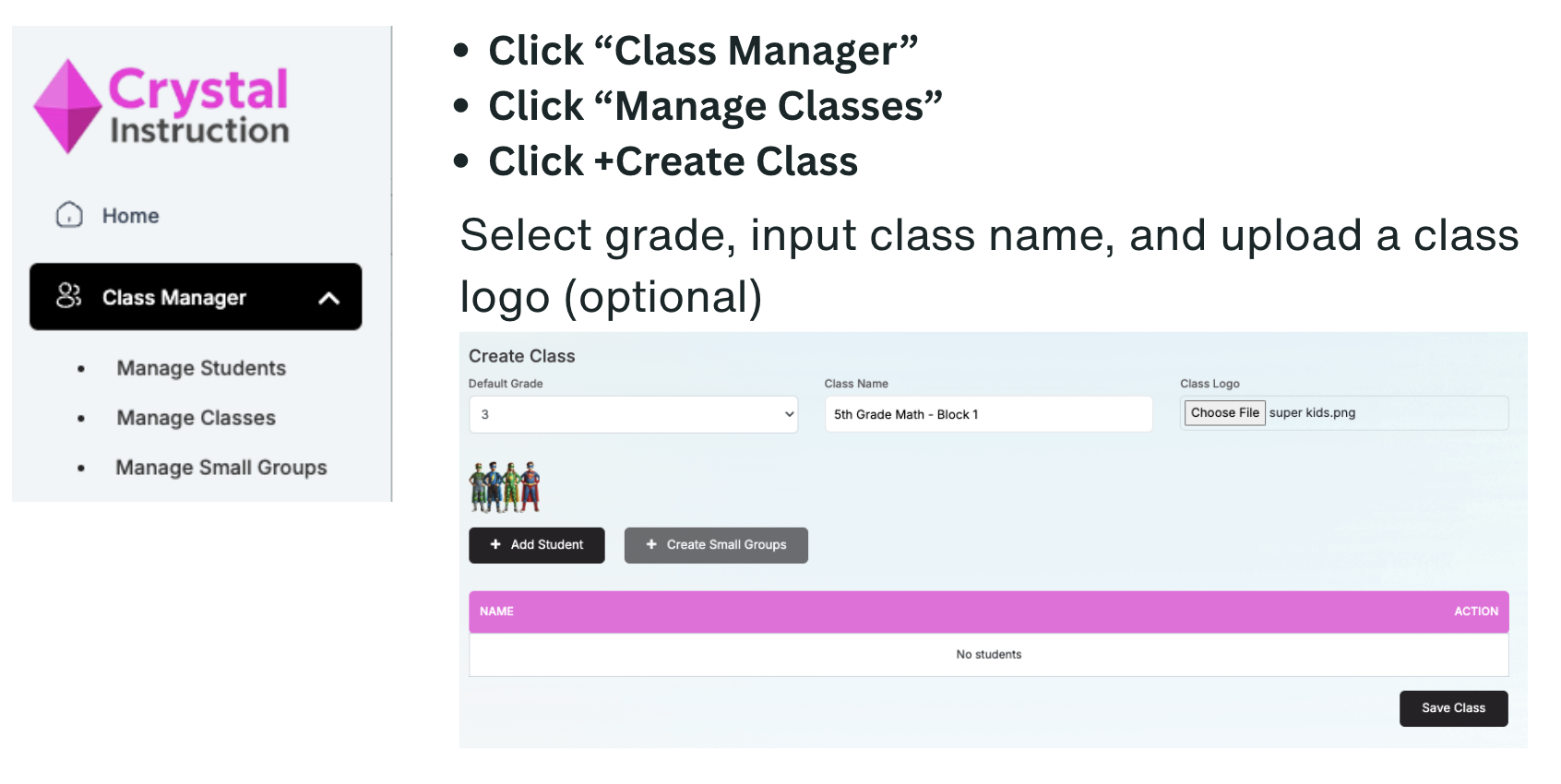
Step 1: Create your Class
Step 2: Add Students
Click “Add Student”
Filter to find students in your class
Click the + next to their name
Click “Save Students” once your class is built.
Don’t worry, you can always add more later.
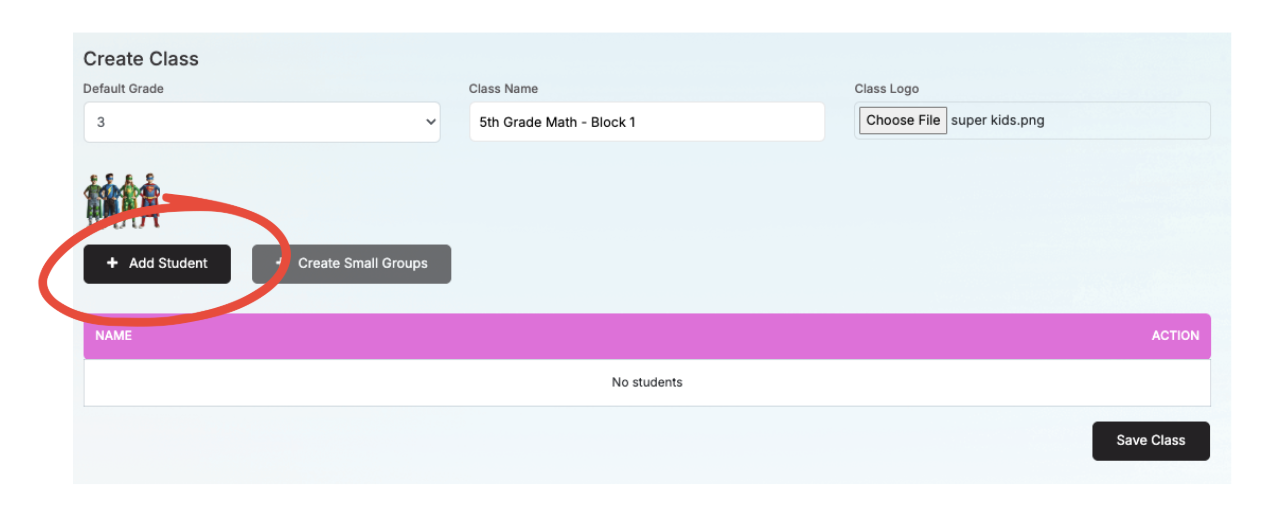
Click “Add Student”
Filter to find students in your class
Click the + next to their name
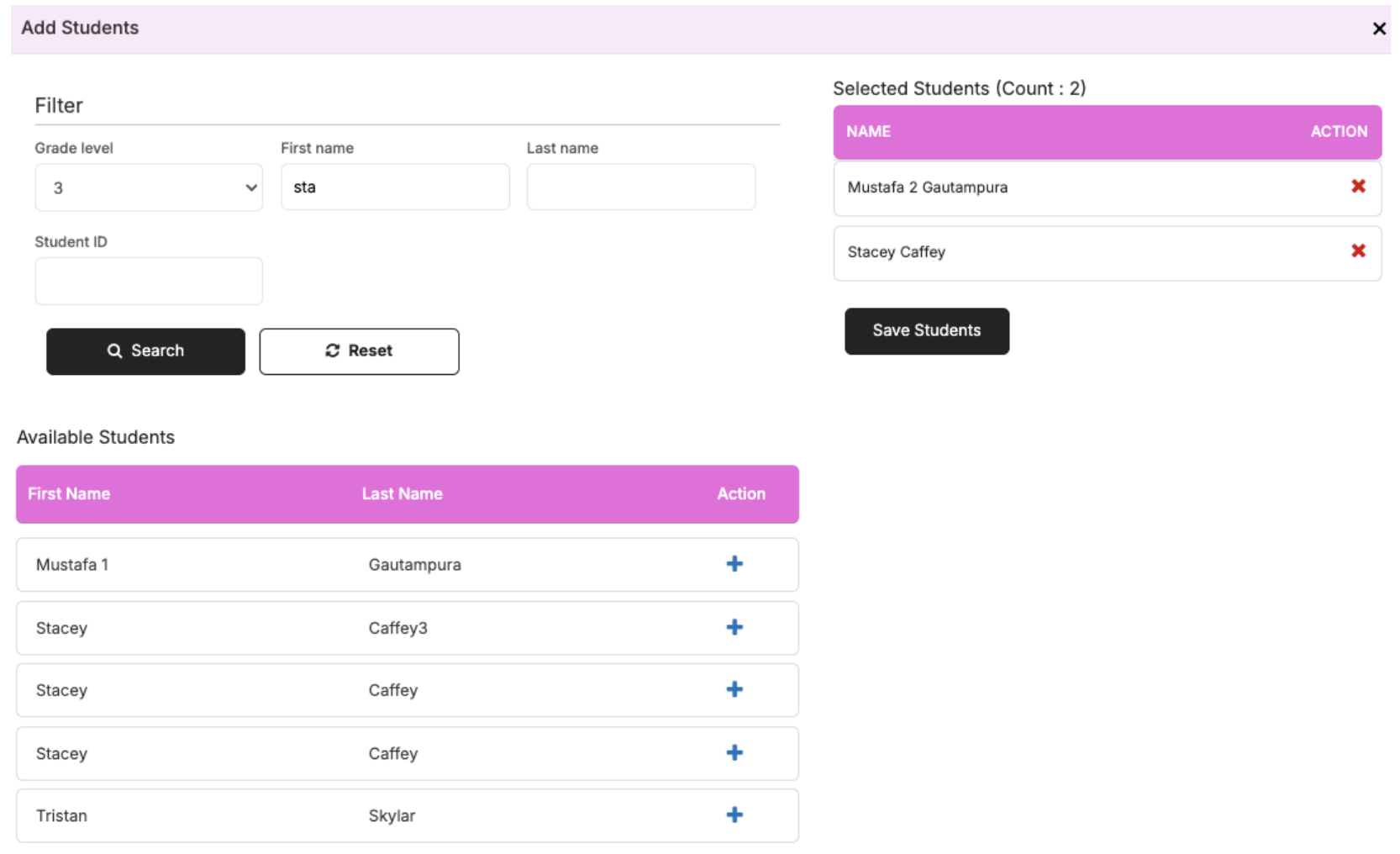
Click “Save Students” once your class is built.
Don’t worry, you can always add more later.
